On-time Free Shipping Worldwide
Free Designing Support
100% Price Match Guarantee
On-time Free Shipping Worldwide
Free Designing Support
100% Price Match Guarantee

Packaging Artwork Setup & Dieline Preparation Guidelines

Working on a dieline template allows you to be as creative as you want with your packaging design and artwork. Please follow the guidelines below to ensure your packaging design is ideal for the packaging production process. If you don’t have a dieline for custom boxes, you can download our free dieline templates

1. Setting Up Your Artwork File

Preparing Adobe Illustrator for Production

In Adobe Illustrator, navigate to File > Document Color Mode > CMYK Color. For any Pantone or spot colors in your design, please convert them to CMYK. Kindly provide us with the corresponding Pantone C color code(s) used in your design.

Following are the useful resources:

2. Dieline Alignment

Artwork Orientation Settings

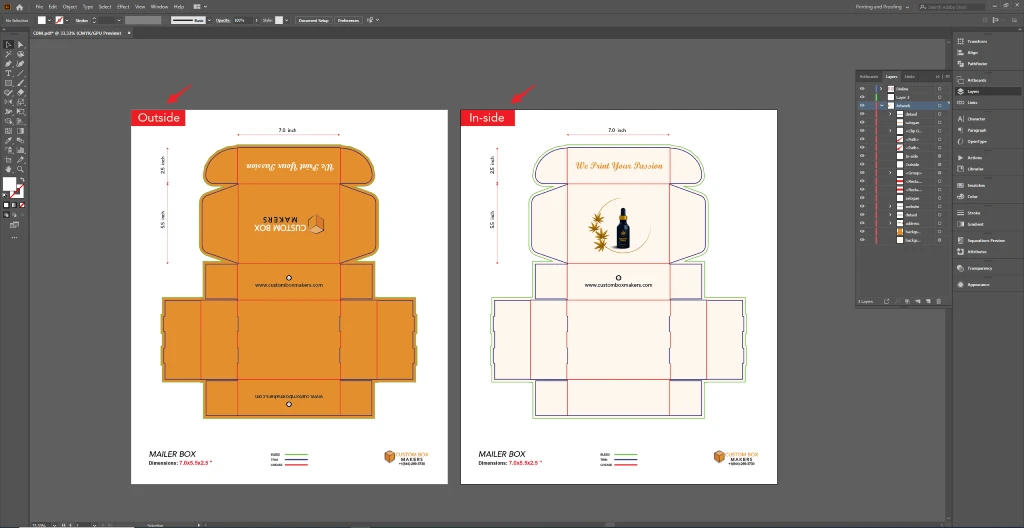
Make sure your images and text face the correct way when your packaging is manufactured. Please follow the orientation guide given below, and feel free to use them to test by printing your designs at home.

3. Artwork Preparation Guidelines

Keep Artwork and Dieline on Separate Layers

Place all artwork and designs on the designated “Artwork” layer. Leave the “Dieline” as it is. Do not delete the “Dieline” layer, as it is essential for production purposes (the dieline itself will not be printed).

Create a Dedicated Layer for Enhancements

For each enhancement (embossing, debossing, spot UV, or foil stamping) in your design, create a separate layer. Clearly indicate the specific areas where each enhancement will be applied on its respective layer.

Place all artwork and designs on the designated “Artwork” layer. Leave the “Dieline” as it is. Do not delete the “Dieline” layer, as it is essential for production purposes (the dieline itself will not be printed).
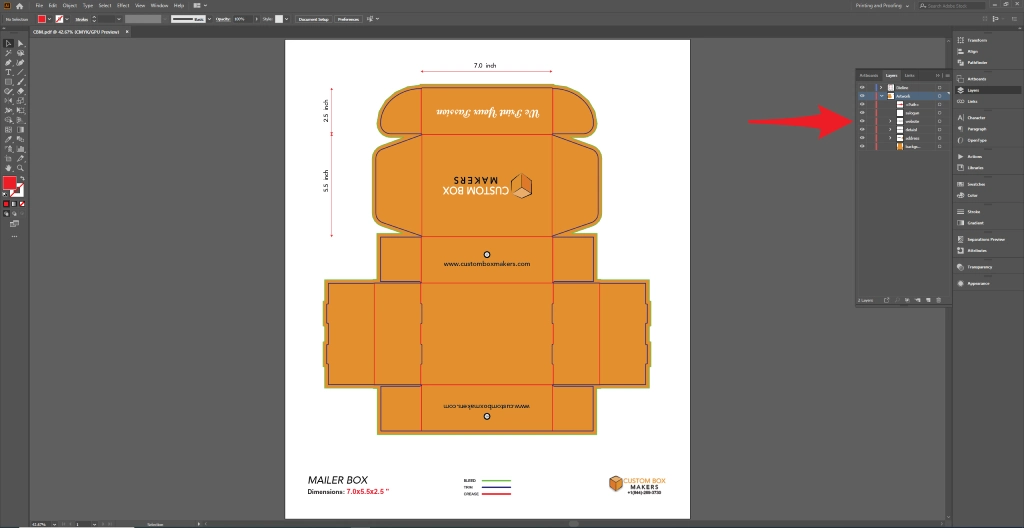
Set Up Proper Bleed and Safety Margins

Please follow these guidelines to ensure your packaging does not have unprinted edges:
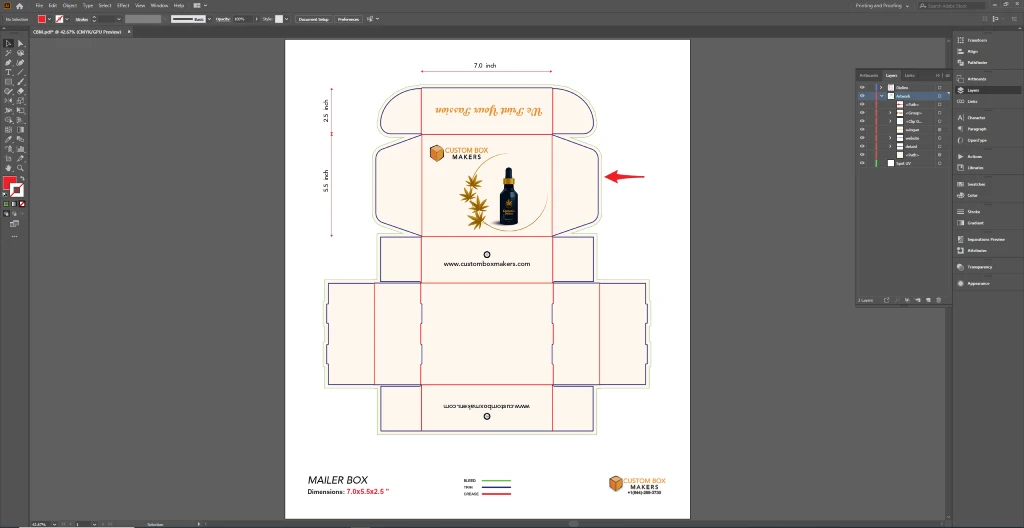
  1. Extend artwork at edges:  Ensure all artwork at fold or cut lines bleeds into the next panel or the empty space of the dieline.
  2. Maintain safe margins: Keep important artwork or text at least 0.125″ (0.32cm) away from any fold or cut lines.
  3. Extend beyond the dieline: Extend artwork or graphics that go beyond the dieline by at least 0.25″ (0.64cm) from the dieline edge.

Organize and Name Your Design Files Clearly

  • Clearly indicate if your packaging has inside vs outside designs.

4. Managing Images in Your Design File

Embedding Linked Images Properly

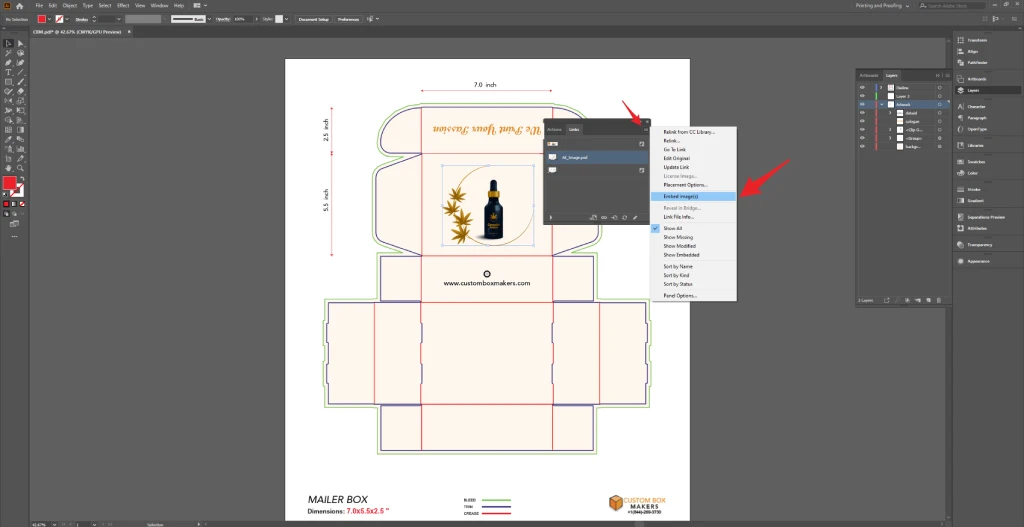
  • Open the Links panel: Window > Links.
  • Select any linked files that are not embedded.
  • Click the top-right menu in the panel and select Embed.
  • Repeat for all linked files

Ensuring High-Resolution Images and Graphics

  • Photos: Minimum resolution 300 dpi.
  • Graphics/Text: Prefer vector formats (AI, PDF, EPS).
  • Avoid JPG/PNG for graphics or text unless photographic.

5. Working with Text Elements

Convert Text to Outlines Before Production

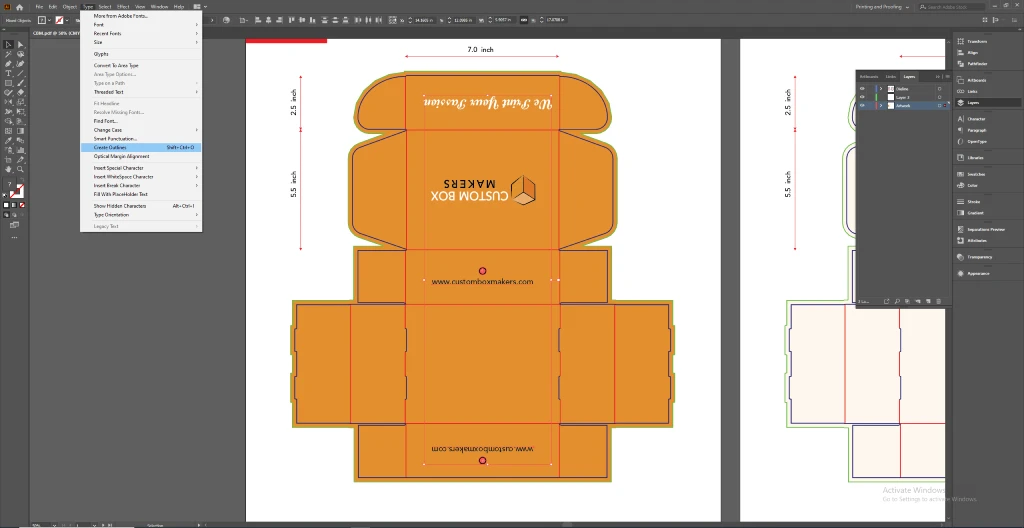
  • Select your text box(es).
  • Navigate to Type > Create Outlines.
  • Text will then be converted into vector shapes to prevent font issues.

Setting Appropriate Font Sizes for Print

  • Minimum font size: 6pt. Inform us if your design uses smaller text.

Multiple Fonts

  • Outline all fonts to avoid missing font issues.

6. Final File Preparation and Submission

Choosing the Correct File Format

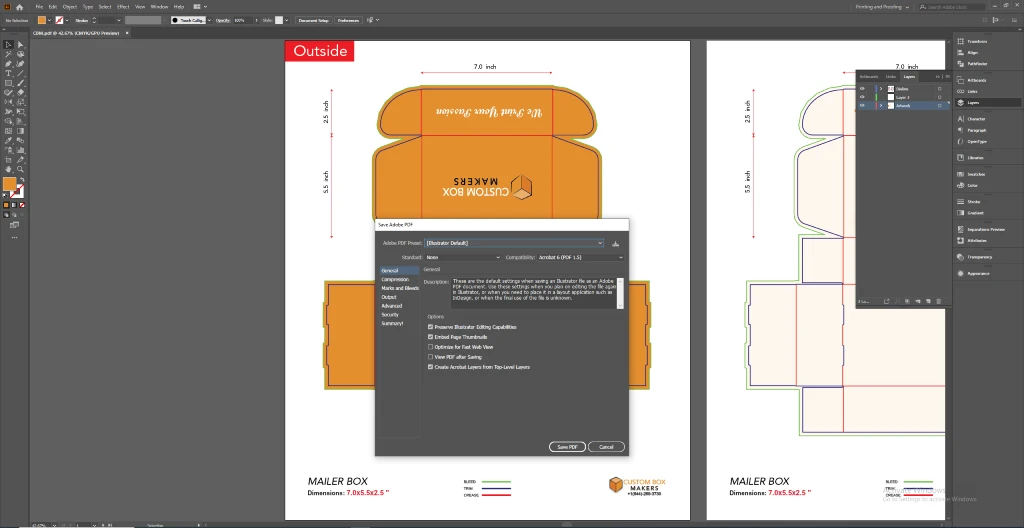
  • Adobe Illustrator (.ai)
  • Layered and editable PDF (.pdf) compatible with Illustrator

7. Special Finishes & Spot Colors

For embossing, debossing, foil stamping, or spot UV:
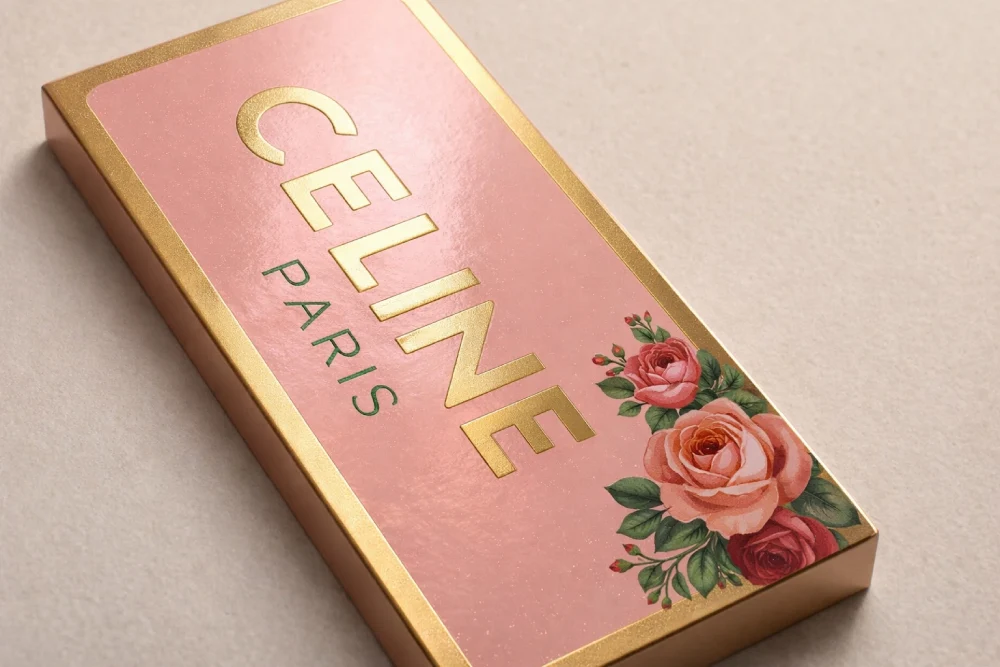
  • Use a separate, labeled layer.
  • Specify Pantone or swatch references if required.
  • Follow any minimum size or coverage restrictions.


Special-Finishes-&-Spot-Colors

8. Final Checklist Before Submission

  • CMYK color mode used; Pantone codes provided
  • Artwork on correct layer; dieline untouched
  • Enhancement layers labeled and separated
  • Bleeds and safe margins correct
  • All images embedded; resolution ≥300dpi
  • Text outlined; minimum font size respected
  • Physical fold test done (print and fold dieline)
  • Submission notes included (inside/outside or special finishes)